Information
Role
Team Size
Time Frame
Engine
Game Developer
Solo
2 Weeks
Unity C#
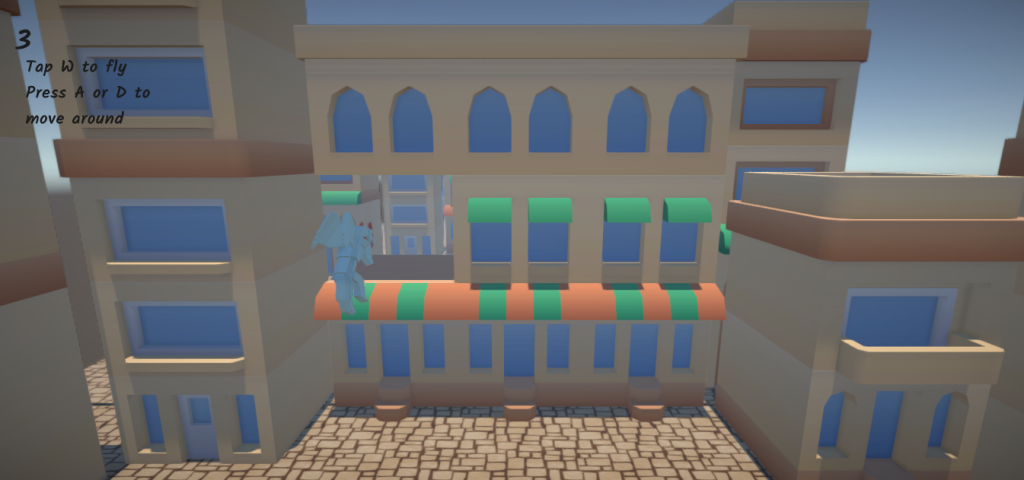
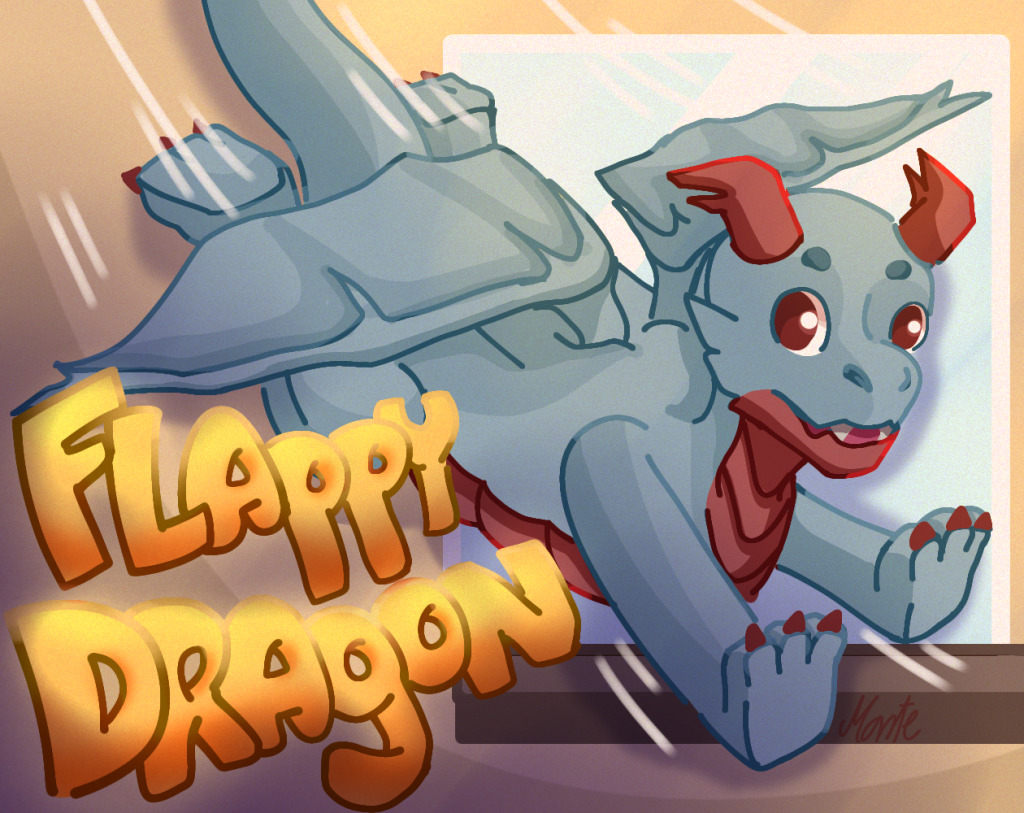
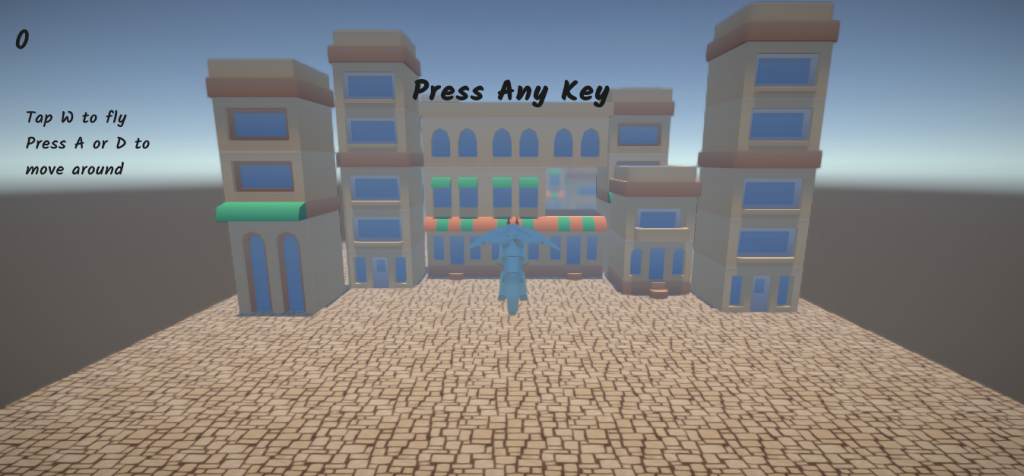
Flappy Dragon is a fun, arcade-style game where players guide a small dragon through challenging obstacles using classic tap-to-fly mechanics. Developed as a solo project over two weeks for a school assignment in my second year, this game showcases my early work in Unity and game programming. While I focused on gameplay programming and level design, I utilized pre-made assets from the Unity Asset Store to bring the game world to life. This project helped me deepen my understanding of Unity’s tools, refine my programming skills, and gain valuable experience in building a complete game from start to finish within a tight timeline.
Code
The BirdController script manages the movement and behavior of the bird in a Flappy Bird-style game. It handles player input to move the bird upward with a jump force and keeps it within the camera bounds. The script also includes random jump sounds and a death sound upon collision, triggering the game over sequence. It adjusts the bird’s velocity in real-time and ensures smooth movement and proper collision detection for an engaging gameplay experience.
BirdController
public class BirdController : MonoBehaviour
{
    private Rigidbody rb;
    private ActionMap input;
    private Vector2 moveVector;
    private bool canMoveUp;

    [SerializeField] private float moveSpeed = 1f;
    [SerializeField] private float jumpForce = 5f;

    [SerializeField] private Camera cam;
    private Vector3 pos;

    private UI uiController;

    public AudioSource audioSource;
    public AudioClip[] audioClipArray;
    public AudioClip deathSound;

    private void Awake()
    {
        uiController = FindObjectOfType<UI>();
        input = new ActionMap();
        rb = GetComponent<Rigidbody>();
    }

    private void OnEnable()
    {
        input.Enable();
        input.Bird.Movement.performed += ctx => moveVector = ctx.ReadValue<Vector2>();
        input.Bird.Movement.canceled += ctx => moveVector = Vector2.zero;
    }

    private void OnDisable() => input.Disable();

    private void FixedUpdate()
    {
        var velocity = rb.velocity;

        // Check if the bird is moving upward and can move up
        if (canMoveUp && moveVector.y > 0)
        {
            rb.velocity = new Vector3(moveVector.x * moveSpeed, jumpForce, velocity.z);

            audioSource.pitch = Random.Range(0.5f, 1.5f);
            audioSource.PlayOneShot(RandomClip());

        }
        else
        {
            rb.velocity = new Vector3(moveVector.x * moveSpeed, velocity.y, velocity.z);
        }

        canMoveUp = moveVector.y <= 0;
        KeepWithinCameraBounds();
    }


    private void OnCollisionEnter(Collision collision)
    {
        Debug.Log("Game Over!");

        uiController.GameEnder();
        rb.useGravity = false;

        audioSource.PlayOneShot(deathSound);
    }

    private void KeepWithinCameraBounds()
    {
        // Get the bird's position in viewport space
        Vector3 viewPos = cam.WorldToViewportPoint(transform.position);
        if (viewPos.x < 0)
        {
            viewPos.x = 0;
            rb.velocity = new Vector3(0, rb.velocity.y, 0);
        }
        else if (viewPos.x > 1)
        {
            viewPos.x = 1;
            rb.velocity = new Vector3(0, rb.velocity.y, 0);
        }
        else if (viewPos.y > 1)
        {
            viewPos.y = 1;
            rb.velocity = new Vector3(rb.velocity.x, 0, 0);
        }

        // Convert the clamped viewport position back to world space and update the bird's position
        transform.position = cam.ViewportToWorldPoint(viewPos);
    }

    private AudioClip RandomClip()
    {
        return audioClipArray[Random.Range(0, audioClipArray.Length)];
    }
}
The PauseGame script manages the game’s pause functionality. Upon starting, it immediately pauses the game by setting Time.timeScale to 0. The game remains paused until the player presses any key, triggering the game to resume by restoring the time scale to 1. It also prevents game resumption if the game has ended, ensuring proper flow and gameplay control.
PauseGame
public class PauseGame : MonoBehaviour
{
    private UI uiController;
    // This method is called when the game starts
    void Start ()
    {
        uiController = FindObjectOfType<UI>();
        // Set the time scale to 0 to pause the game
        Time.timeScale = 0;
        Debug.Log ("Game is paused. Press any key to resume.");
    }

    // Update is called once per frame
    void Update ()
    {
        // Check if any key is pressed
        if (Input.anyKeyDown && Time.timeScale == 0 && uiController.gameEnded == false)
        {
            uiController.PressAnyKey();
            ResumeGame ();
        }
    }

    // Function to resume the game
    public void ResumeGame ()
    {
        Time.timeScale = 1;
        Debug.Log ("Game is resumed.");
    }
}
The ObstacleManager script controls the spawning and movement of obstacles in the game. Initially, it spawns a set of obstacles at predefined intervals and positions. Obstacles are randomly selected from a pool, assigned random colors, and move towards the bird. The script also updates the score based on the player’s progress and manages the rate at which obstacles are spawned.
ObstacleManager
public class ObstacleManager : MonoBehaviour
{
    [SerializeField] private GameObject[] obstacles;
    [SerializeField] private Transform spawnPoint;
    [SerializeField] private float spawnRate;
    [SerializeField] private float obstacleSpeed;
    [SerializeField] private Transform bird;
    [SerializeField] private Color[] colors;
    [SerializeField] private int initialObstacleCount;
    [SerializeField]private float initialObstacleSpacing;

    private float nextSpawnTime;
    public int score;

    // Reference to the UI instance
    private UI uiController;

    // Start is called before the first frame update
    void Start()
    {
        uiController = FindObjectOfType<UI>();

        for (int i = 0; i < initialObstacleCount; i++)
        {
            InitialObstacleSpawner(i);
        }
        nextSpawnTime = Time.time + spawnRate;
    }

    // Update is called once per frame
    void Update()
    {
        if (Time.time >= nextSpawnTime)
        {
            SpawnObstacles();
            nextSpawnTime = Time.time + spawnRate;
        }
    }

    void InitialObstacleSpawner(int index)
    {
        int randomIndex = Random.Range(0, obstacles.Length);
        Vector3 spawnPosition = spawnPoint.position + Vector3.forward * initialObstacleSpacing * index * -1;
        GameObject newObstacle = Instantiate(obstacles[randomIndex], spawnPosition, Quaternion.identity, spawnPoint);

        Color randomColor = colors[Random.Range(0, colors.Length)];
        //AssignColor(newObstacle, randomColor);

        ObstacleMover obstacleMover = newObstacle.AddComponent<ObstacleMover>();
        obstacleMover.obstacleSpeed = obstacleSpeed;
        obstacleMover.bird = bird;
    }

    void SpawnObstacles()
    {
        int randomIndex = Random.Range(0, obstacles.Length);
        GameObject newObstacle = Instantiate(obstacles[randomIndex], spawnPoint.position, Quaternion.identity, spawnPoint);

        Color randomColor = colors[Random.Range(0, colors.Length)];
        //AssignColor(newObstacle, randomColor);

        ObstacleMover obstacleMover = newObstacle.AddComponent<ObstacleMover>();
        obstacleMover.obstacleSpeed = obstacleSpeed;
        obstacleMover.bird = bird;
    }

    public void UpdateScore(int points)
    {
        score = score + points;
        Debug.Log(score.ToString());

        // Update the score using the UI instance
        if (uiController != null)
        {
            uiController.UpdateScore();
        }
    }
}
The ObstacleMover script is responsible for moving obstacles towards the player’s bird at a specified speed. It checks if an obstacle has passed the bird and, if so, updates the score and destroys the obstacle. The script ensures obstacles move in the correct direction and are removed once they’ve been passed by the bird.
ObstacleMover
public class ObstacleMover : MonoBehaviour
{
    public float obstacleSpeed;
    public Transform bird;
    private bool passedBird = false;
    private ObstacleManager obstacleManager;

    // Start is called before the first frame update
    void Start()
    {
        obstacleManager = FindAnyObjectByType<ObstacleManager>();
    }

    // Update is called once per frame
    void Update()
    {
        transform.Translate(Vector3.forward * obstacleSpeed * Time.deltaTime * -1);

        if (!passedBird && transform.position.z < bird.position.z - 3f)
        {
            passedBird = true;
            obstacleManager.UpdateScore(1);
            Destroy(gameObject);
        }
    }
}
Reflection
The Flappy Dragon project works well but could be more efficient and maintainable.
The input handling in BirdController would be more responsive if moved from FixedUpdate() to Update(). This would separate the physics logic from input checks, improving control responsiveness.
Redundant spawning logic in ObstacleManager and ObstacleMover could be combined into a helper method to reduce repetition. Additionally, the score system is spread across both classes, so centralizing it in a dedicated score manager would make the code cleaner.
The PauseGame script relies on Time.timeScale for pausing, which can be inflexible. A custom pause/resume system would provide better control over what gets paused.
Finally, magic numbers like -3f in ObstacleMover should be replaced with constants for better readability, and audio management could be centralized in an audio manager for cleaner handling.